LMCache Frontend#
Warning
This page documents the behavior of LMCache’s in-process mode (deprecated). Please consider using LMCache MP mode for better feature support and performance. For the MP mode equivalent of this page, see Frontend Dashboard.
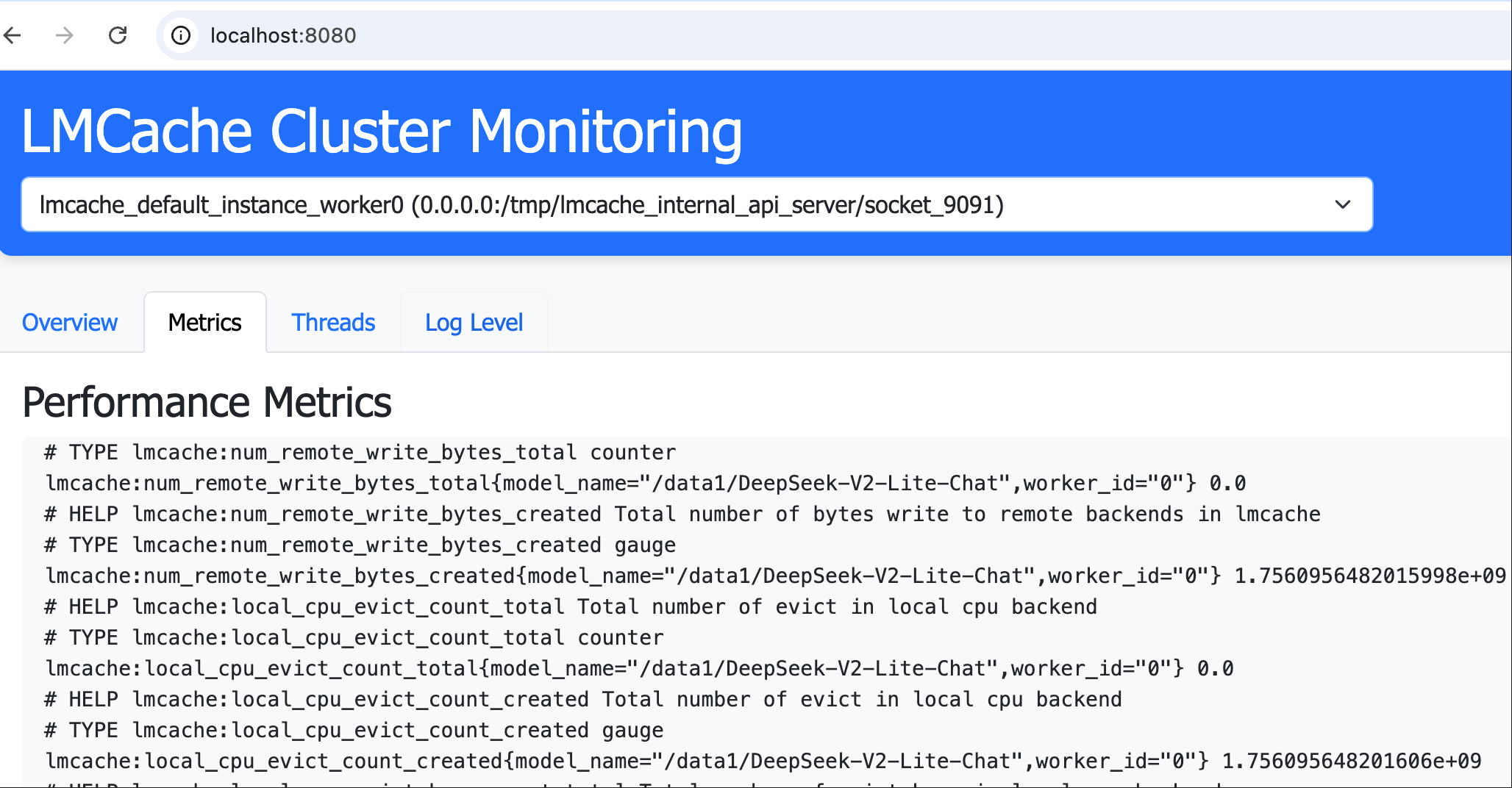
LMCache Frontend is a monitoring and proxy service for LMCache clusters, providing a web interface for cluster management and HTTP request proxying to cluster nodes.
Features#
Cluster Monitoring: Web-based dashboard for visualizing cluster status
Request Proxying: HTTP proxy service to forward requests to any cluster node
Flexible Configuration: Support for both IP:port and Unix domain sockets
Plugin System: Integration with LMCache plugin framework
Installation#
Install from PyPI:
pip install lmcache_frontend
Or install from source:
git clone https://github.com/LMCache/lmcache_frontend.git
cd lmcache_frontend
pip install -e .
Quick Start#
Starting the Service#
lmcache-frontend --port 8080 --host 0.0.0.0
Command Line Options#
Option |
Description |
|---|---|
|
Service port (default: 8000) |
|
Bind host address (default: 0.0.0.0) |
|
Path to configuration file |
|
Direct node configuration (JSON string) |
After starting the service, access the dashboard at http://localhost:8080/.
Configuration#
Node Configuration#
Create a config.json file with node definitions:
[
  {
    "name": "node1",
    "host": "127.0.0.1",
    "port": "/tmp/lmcache_internal_api_server/socket/9090"
  },
  {
    "name": "node2",
    "host": "127.0.0.1",
    "port": "/tmp/lmcache_internal_api_server/socket/9091"
  }
]
The port field can be configured as either an integer port number or
a string path for Unix domain sockets.
LMCache Plugin Integration#
To start the frontend via the LMCache plugin framework,
add the following to your lmcache.yaml:
extra_config:
  plugin.frontend.port: 8080
internal_api_server_enabled: True
internal_api_server_port_start: 9090
# Needed only for the POST /run_script proxy example below. That endpoint
# executes caller-supplied code in-process and is off by default.
run_script_api_enabled: True
plugin_locations: ["/scripts/scheduler_lmc_frontend_plugin.py"]
internal_api_server_socket_path_prefix: "/tmp/lmcache_internal_api_server/socket"
Proxying Requests#
Proxy requests using the format:
/proxy/{target_host}/{target_port_or_socket}/{path}
Examples:
# Proxy to a Unix socket
curl "http://localhost:8080/proxy/localhost/%252Ftmp%252Flmcache_internal_api_server%252Fsocket_8081/metrics"

# Proxy a POST request
curl -X POST http://localhost:9090/proxy/localhost/8081/run_script \
    -F "script=@/root/scratch.py"
Note
The POST /run_script example above requires the target node to opt in
with run_script_api_enabled: true (see the sample config above).
Without it the endpoint returns 404 — it executes caller-supplied code
in-process and is therefore disabled by default.
Contributing#
LMCache Frontend is an open-source project and we welcome contributions from the community! Whether you want to fix bugs, add new features, improve documentation, or share ideas, your contributions are appreciated.
Ways to contribute:
Report Issues: Found a bug or have a feature request? Open an issue on GitHub.
Submit Pull Requests: Fork the repository, make your changes, and submit a PR.
Improve Documentation: Help us make the docs clearer and more helpful.
Share Feedback: Let us know how you’re using LMCache Frontend and what could be improved.
Join us in making LMCache Frontend better for everyone!
More Information#
For more details, visit the LMCache Frontend GitHub repository.