LMCache 前端#
警告
本页面记录了 LMCache 的进程内模式(已弃用)的行为。请考虑使用 LMCache MP 模式 以获得更好的功能支持和性能。有关此页面的 MP 模式等效项,请参见 前端仪表板。
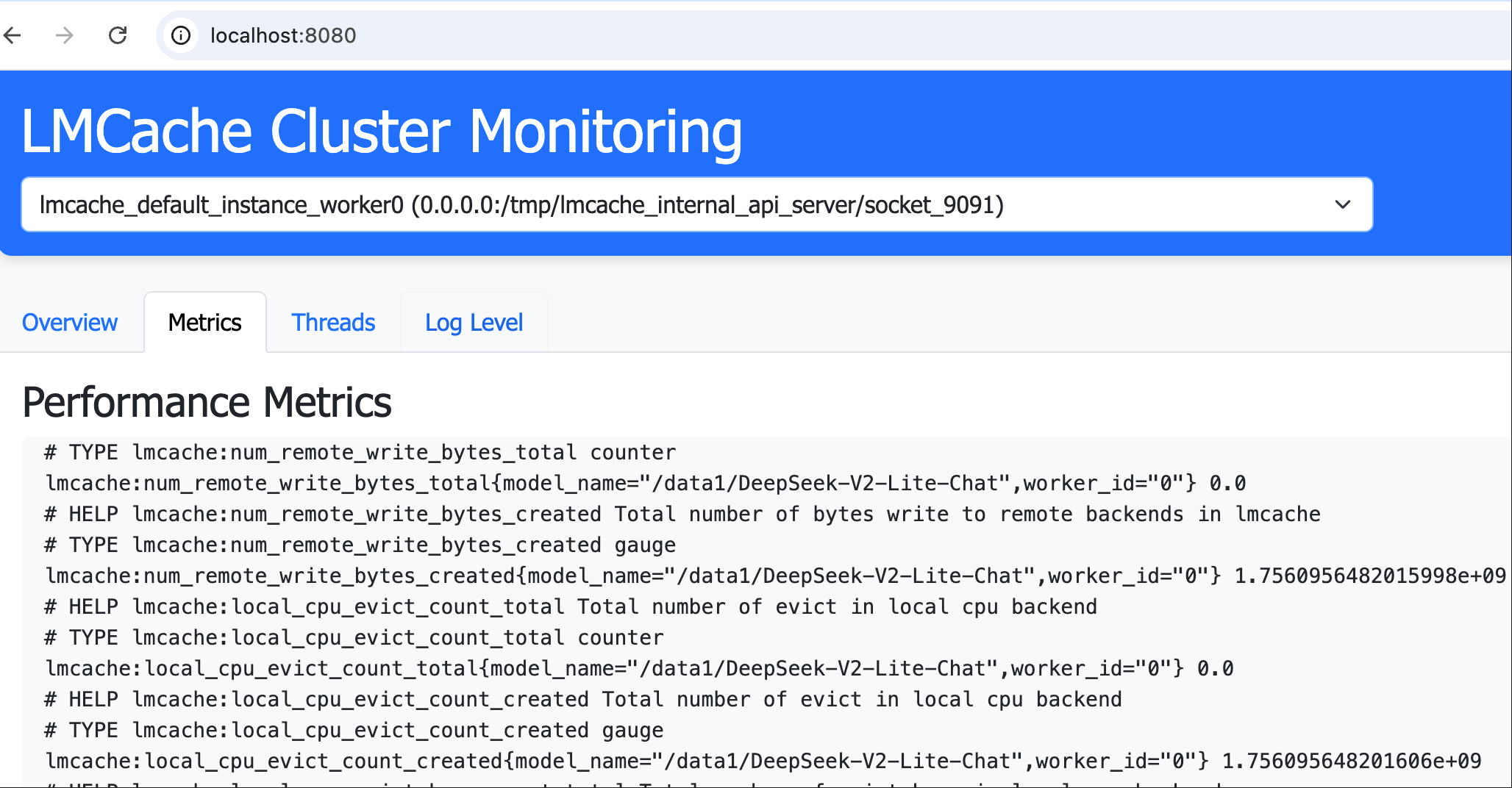
LMCache Frontend 是一个用于 LMCache 集群的监控和代理服务,提供集群管理的 Web 界面以及对集群节点的 HTTP 请求代理。
功能#
集群监控:基于网页的仪表板,用于可视化集群状态
请求代理:HTTP 代理服务,用于将请求转发到任何集群节点
灵活配置:支持 IP:端口 和 Unix 域套接字
插件系统:与 LMCache 插件框架的集成
安装#
从 PyPI 安装:
pip install lmcache_frontend
或从源代码安装:
git clone https://github.com/LMCache/lmcache_frontend.git
cd lmcache_frontend
pip install -e .
快速开始#
启动服务#
lmcache-frontend --port 8080 --host 0.0.0.0
命令行选项#
选项 |
描述 |
|---|---|
|
服务端口(默认:8000) |
|
绑定主机地址(默认:0.0.0.0) |
|
配置文件路径 |
|
直接节点配置(JSON 字符串) |
启动服务后,可以通过访问 http://localhost:8080/ 来查看仪表板。
配置#
节点配置#
创建一个 config.json 文件,包含节点定义:
[
  {
    "name": "node1",
    "host": "127.0.0.1",
    "port": "/tmp/lmcache_internal_api_server/socket/9090"
  },
  {
    "name": "node2",
    "host": "127.0.0.1",
    "port": "/tmp/lmcache_internal_api_server/socket/9091"
  }
]
port 字段可以配置为整数端口号或 Unix 域套接字的字符串路径。
LMCache 插件集成#
要通过 LMCache 插件框架启动前端,请将以下内容添加到您的 lmcache.yaml 中:
extra_config:
  plugin.frontend.port: 8080
internal_api_server_enabled: True
internal_api_server_port_start: 9090
# Needed only for the POST /run_script proxy example below. That endpoint
# executes caller-supplied code in-process and is off by default.
run_script_api_enabled: True
plugin_locations: ["/scripts/scheduler_lmc_frontend_plugin.py"]
internal_api_server_socket_path_prefix: "/tmp/lmcache_internal_api_server/socket"
代理请求#
使用以下格式代理请求:
/proxy/{target_host}/{target_port_or_socket}/{path}
示例:
# Proxy to a Unix socket
curl "http://localhost:8080/proxy/localhost/%252Ftmp%252Flmcache_internal_api_server%252Fsocket_8081/metrics"

# Proxy a POST request
curl -X POST http://localhost:9090/proxy/localhost/8081/run_script \
    -F "script=@/root/scratch.py"
备注
The POST /run_script example above requires the target node to opt in
with run_script_api_enabled: true (see the sample config above).
Without it the endpoint returns 404 — it executes caller-supplied code
in-process and is therefore disabled by default.
贡献#
LMCache 前端是一个开源项目,我们欢迎社区的贡献!无论您想修复错误、添加新功能、改善文档还是分享想法,我们都非常感谢您的贡献。
贡献方式:
报告问题:发现了一个错误或有功能请求?在 GitHub 上提交一个问题。
提交拉取请求:分叉仓库,进行更改,并提交 PR。
改善文档:帮助我们使文档更清晰、更有帮助。
分享反馈:让我们知道您如何使用 LMCache 前端以及可以改进的地方。
加入我们,让 LMCache Frontend 变得更好!
更多信息#
有关更多详细信息,请访问 LMCache Frontend GitHub 仓库。